Magpie

I’ve built an app called Magpie.
Magpie is an iPhone player for podcasts and articles that can be operated entirely by voice. I designed it so blind users can follow podcasts, blogs, and newsletters without the friction of having to tap on the screen, though it works equally well visually. In fact I use it as much as any app on my phone. It’s completely replaced the multiple apps I was using before to consume podcasts, newsletters, and RSS feeds.
You can find it on the iOS app store at this link. It will also run on your iPad or Mac.
The Android app is built and going through the closed testing period Google requires before it can be made public on the Play Store. If you would like it I can send you a link but you'll have to send me your email first for it to work.
It is also open source.
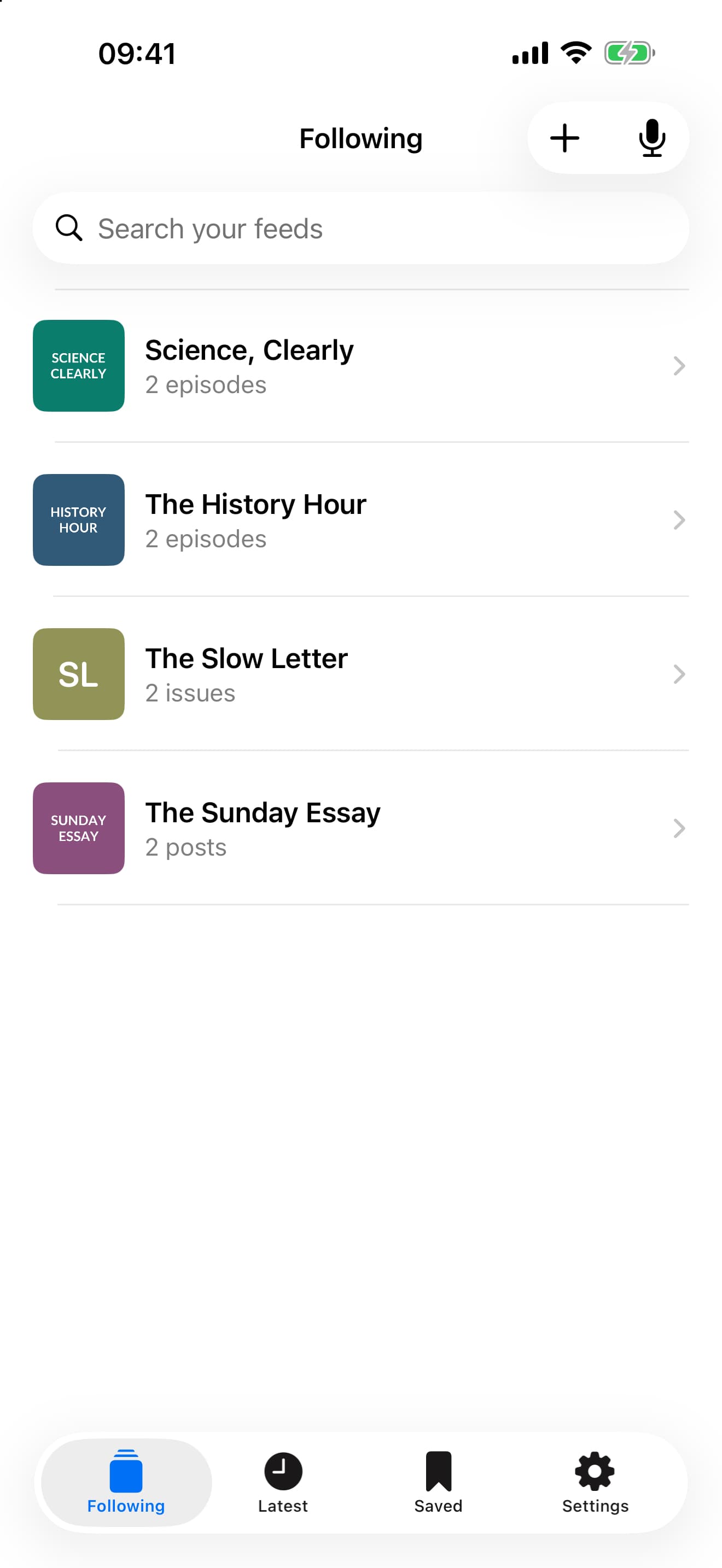
Blogs, newsletters and podcasts in one place
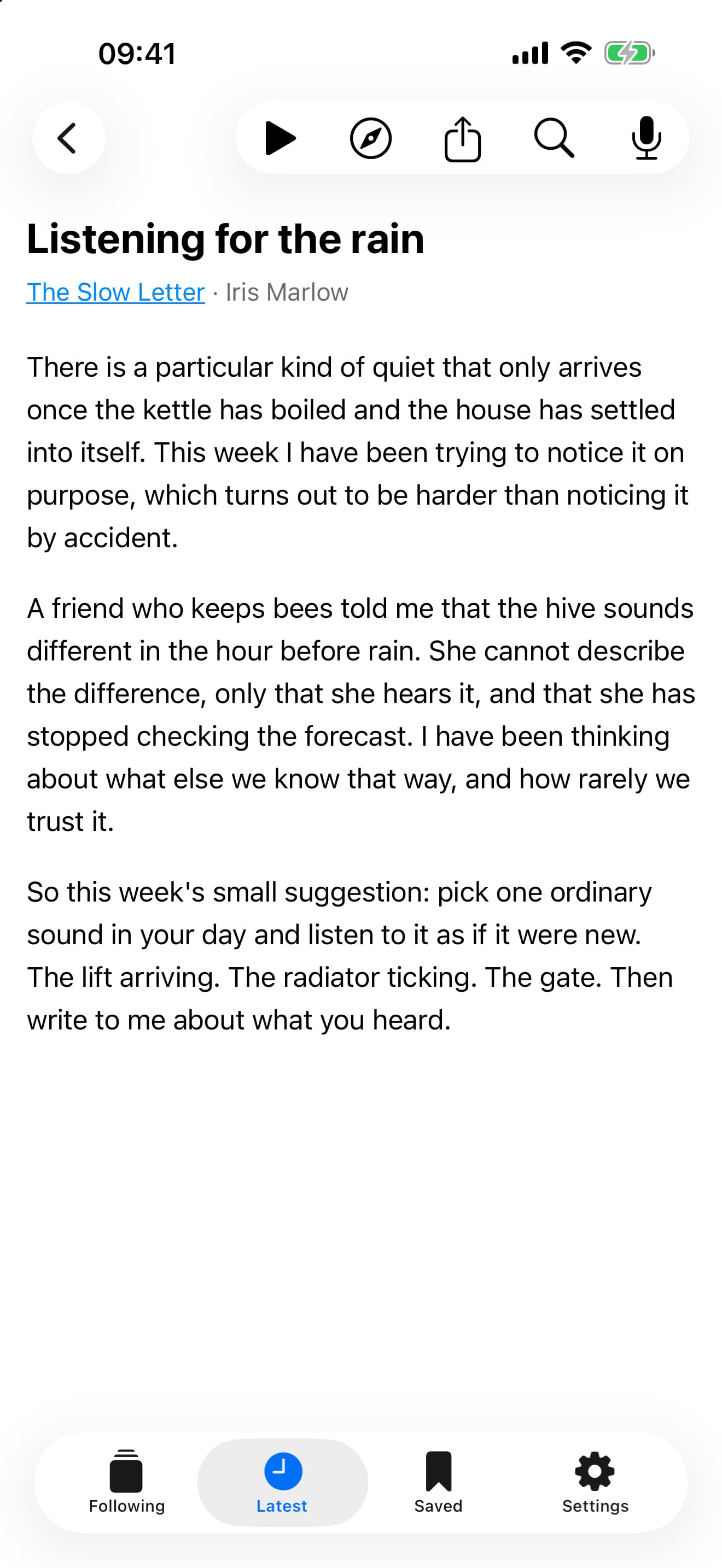
It has a sleek native interface. Things like images, code blocks, and latex all render correctly inside it. You can subscribe to podcasts, RSS feeds, or email newsletters, and consume them all within the app. However, a button to take you to the source page is never more than a single tap away.
You can also save ad hoc articles you find around the web, either via a search box in the app, or more reliably from the iOS share sheet in Safari. The latter is better at capturing text as it has already had a chance to load on the page. Saved articles go into a searchable collection with “To read” and “Finished” tabs.
Many newsletters are published exclusively over email. Magpie provides a dedicated email address to use in place of your personal inbox. It can often handle sign-up directly if you provide the newsletter’s URL. When a new sender delivers an issue, Magpie prompts you to confirm whether to follow it. Each issue is stripped of footers, appears alongside podcasts and blog posts, and can be read aloud like any other article. If you follow multiple sources from the same publication, you can combine them so articles with matching URLs appear once and share reading progress.
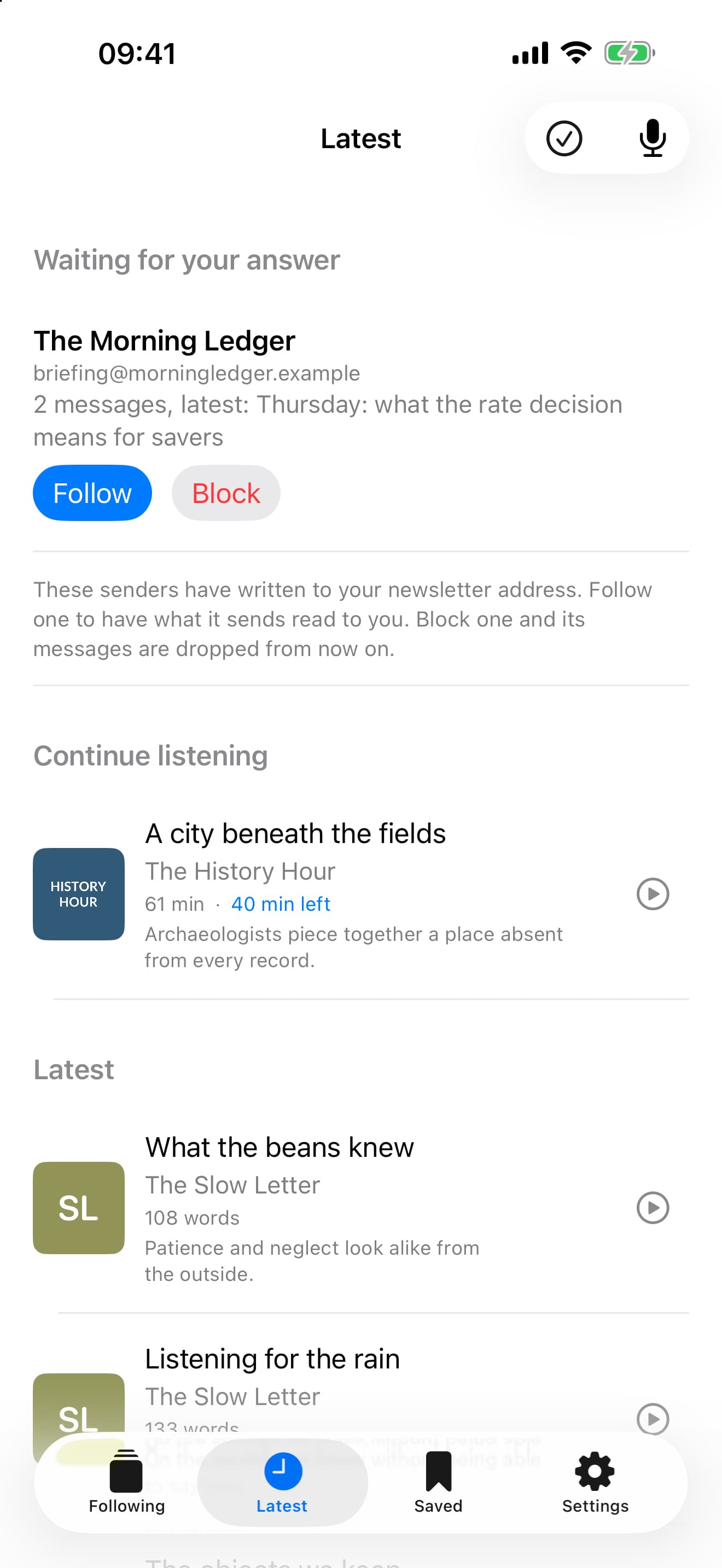
Talking to it
A key design goal is direct voice control for all operations. Siri handles basic commands like “Play the latest episode of The Rest is History” reliably. However, it cannot process contextual or filtered requests like “Play the episode before that” or “Play the episode of Gardeners’ World with Monty Don”.
Modern LLMs can resolve these queries. A model can search your library, identify the intended episode, and ask clarifying questions when it’s ambiguous. The same applies to written content. In most apps, following a writer, loading an article, and starting playback requires several manual taps. Parsing requests like “Follow Scott Alexander’s Substack” or “Subscribe to the Works in Progress RSS feed” is straightforward even for inexpensive models.
Magpie provides a microphone button that opens a spoken session with a model configured to search, subscribe, play, pause, skip, adjust playback speed, and set a sleep timer. Speech-to-text processing runs locally on the phone. Audio never leaves the device, and the app prompts for permission before sending text queries to an AI provider.
After Magpie replies, it can keep listening for your next request; wait for the listening sound, then speak again. Say “That’s all” to finish the conversation. You can combine requests, such as “Subscribe to that show and play its latest episode”, or organise your library by saying “Mark this as read” or “Dismiss this”. If you change your mind after marking or dismissing an item, say “Undo that”.
It is also integrated with Siri using the App Intents framework. Saying “Play the latest In Our Time on Magpie” starts playback in the background without launching the app. Saying “Ask Magpie” routes Siri directly to the microphone interface for complex queries. You can also assign Ask Magpie to Triple Back Tap or the Action button, or add Ask Magpie and Continue Listening controls to the Lock Screen or Control Centre. Settings → Siri and Shortcuts explains how to set these up.
Articles as proper audio
Before Magpie, I used three methods for listening to articles on iOS:
- Apple’s Speak Screen, triggered by a two-finger downward swipe from the top of the screen. Apple has supported this for years, and I have used it since they released the Alex voice. However, it operates through an overlay control panel rather than integrating with the system media player. It has recurring bugs, and on modern iOS versions, the gesture frequently conflicts with the combined Siri and search bar.
- Safari’s “Listen to Page”. The option is nested inside a menu and has its own bugs, though it integrates slightly better with the media controls.
- Third-party apps. I am a long-time Matter user. ElevenReader has high-quality voices but is expensive, and Substack provides its own reader app. Because these apps stream audio from cloud text-to-speech services, they require paid subscriptions and an active network connection.
In Magpie, an article plays through the same audio player as a podcast. It is read aloud locally using your selected Apple system voice, with lock-screen and headphone controls, a sleep timer, and synchronised playback positions across devices. Podcast and article playback speeds are remembered separately. If you prefer to read along, the reader can follow the spoken passage on screen.
Once cached, an article plays completely offline. Basic voice commands such as “pause”, “go back two minutes”, and “play at one and a half speed” are also interpreted locally and work without an internet connection.
Apple does not expose its Siri voices, its highest quality on-device voices, to third-party apps. I recommend installing Alex, an ~870 MB US English voice that sounds somewhat robotic but reliably handles pronunciation and stress correctly.
Accessibility
As well as the features described above, the app can be operated entirely without looking at the screen. It supports VoiceOver, scales text with Dynamic Type, and provides spoken or auditory feedback for completed actions. During a voice conversation, VoiceOver’s two-finger double-tap lets you finish speaking, interrupt a reply, or start listening again. If you use a screen reader and encounter unannounced states, speech overlap, or awkward navigation, please report it.
Still to do
I would like to support watches and CarPlay, and possibly add a web app.
Whilst Alex is functional, most users prefer more natural voice synthesis. I spent a week evaluating on-device open-source text-to-speech models, but none were reliable enough. Models would perform well in HuggingFace demos yet produce artefacts, drop audio, or mispronounce words when running locally on iOS hardware. I’ve punted this but I’m keen to reenter the rabbit hole and solve this properly.
Finally, I have some ideas for features that would cost more to serve but might be worth it for some users. For instance, streaming higher quality voices from third party providers. If it looks like there might be some demand I'll look into adding a paid tier that would cover the those expenses.
I've really enjoyed building and, more importantly, using Magpie. I hope you enjoy it too. Please let me know if you have any feedback or suggestions!
Tags: Programming